 Windows 7, 8, 10, 11
 2
2What is msiexec.exe?
Msiexec.exe is Windows® Installer.
This file is part of Windows Installer - Unicode. Msiexec.exe is developed by Microsoft Corporation. It is used to install new programs that use Windows Installer package files (MSI). It should only be running if you are running an installer. Msiexec is important for computer security and stability and should not be terminated. It’s a system and hidden file.
Msiexec.exe is usually located in the %PROGRAM_FILES% sub-folder and its usual size is 77,824 bytes.
If you are not installing anything, but msiexec is running, chances are it's a virus. Scan your computer with Auslogics Antivirus to make sure it's not infected.
The msiexec.exe process may also be running all the time if the Windows Installer service is set to Automatic by mistake. You'll need to change the service startup type to manual. We recommend doing that using Auslogics Service Manager, which is part of Auslogics BoostSpeed.
You can also do it manually. Here's how:
1. Go to Start - Run, type in services.msc and hit Enter. A new window will open.
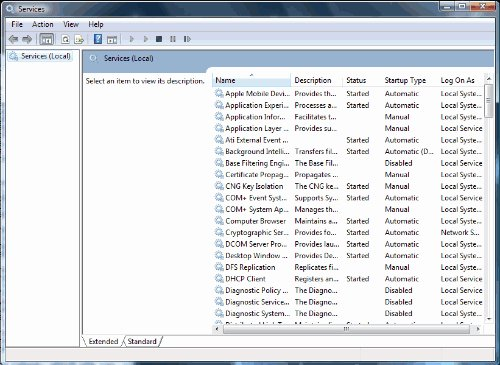
2. Find the Windows Installer service, right-click on it and click on Properties. A new window will open.
3. In the Startup type section, use the dropdown menu to select Manual.
4. Click Apply, then click OK
Windows XP Users: If you a getting an error saying "The Windows Installer Service Could Not Be Accessed", read this Microsoft article.
 Outbyte PC Repair